News
Yealink T74LTE: a desk phone that runs on 4G
Yealink's new T74LTE is a desk phone with a SIM slot, 4G failover and a backup battery. Where it fits: job sites, remote spots and NYC office outages.
· 4 min read
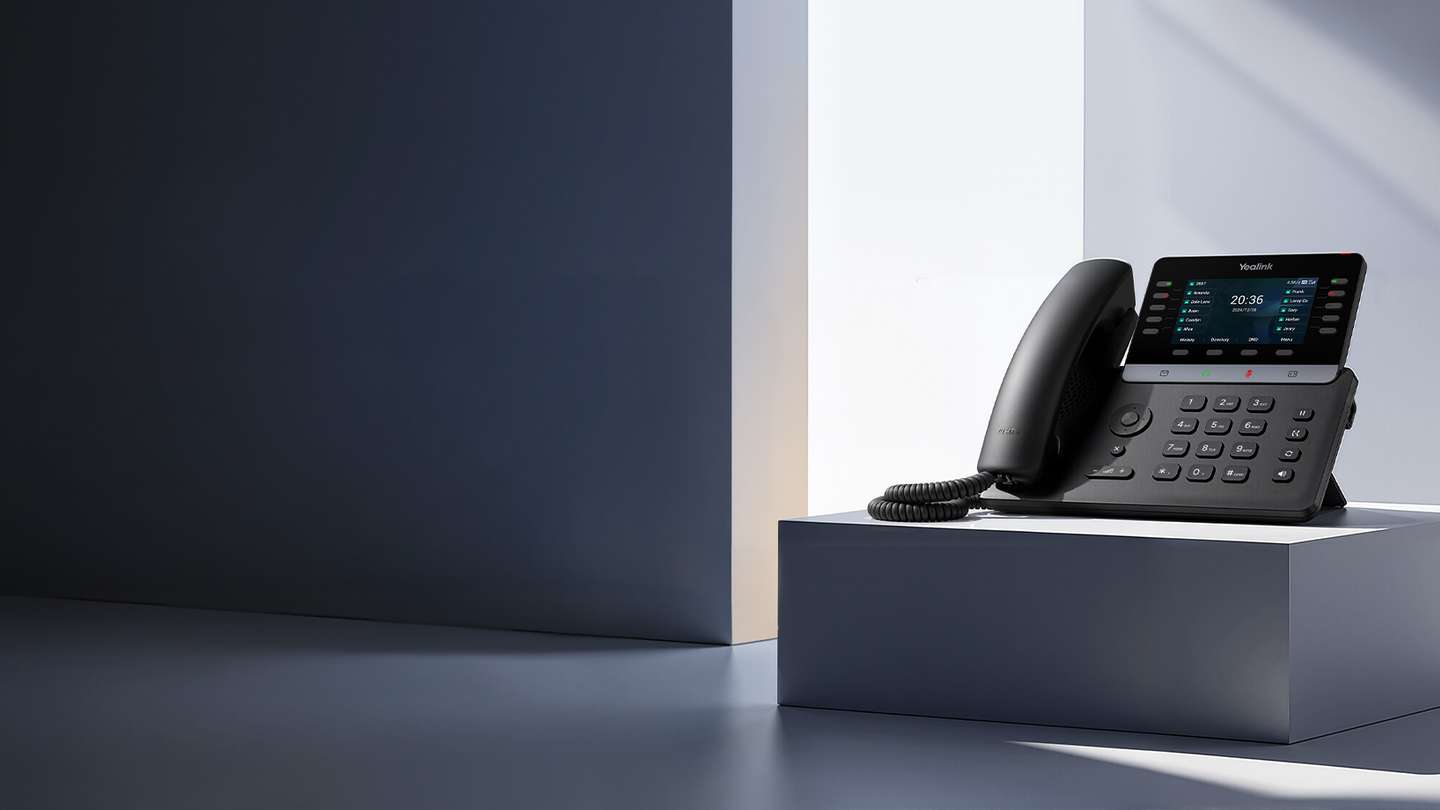
In short: Yealink’s new T74LTE (US) looks and works like a normal office desk phone, but it doesn’t need a network cable. You put an activated SIM card in it and it places calls over 4G. Yealink lists it as certified for AT&T, Verizon and T-Mobile. It can also switch to its backup network on its own when the main connection drops, and it has a built-in battery for power cuts. That makes it a good fit for places where running a data line is hard, and for the one or two phones in an office that have to keep working when the internet doesn’t.
What the T74LTE is
Most business desk phones need two things: an Ethernet cable and power, often from the same cable (PoE). The T74LTE adds a third way to connect. Yealink describes it as “SIM card plug-and-play for instant connectivity”. You activate a SIM with the carrier, put it in the phone and it registers over the cellular network.
From Yealink’s product page:
- 4G with VoLTE, certified by AT&T, Verizon and T-Mobile, using a nano SIM.
- Automatic failover: in Yealink’s words, it “automatically switches to a backup network during primary network interruptions”.
- Backup battery to keep the phone up through a sudden power outage.
- Wi-Fi 6 and Bluetooth 5.0 built in, so it can also use the office network or a wireless headset.
- A 4.3-inch colour screen, line keys and touch buttons in a slimmer body than older T4 models.
- A loud 3W speaker, plus noise filtering for loud places.
- Security: TLS 1.3 and SRTP for call encryption, and a Trusted Execution Environment on the device.
Yealink’s own examples of where to use it: small retail shops, fire stations, construction sites, emergency centres and remote areas.
Where it makes sense
Job sites and temporary offices. A construction trailer, a pop-up sales office or a tenant fit-out often has power long before it has a data line. With an LTE desk phone, the site manager has a proper business phone on day one. It’s on your company’s phone system, with the same extension, transfers and voicemail as the main office, rather than a personal cell phone.
Remote and hard-to-wire spots. A loading dock, a guard booth, a parking garage or a rooftop mechanical room may be a long, expensive cable run from the nearest network closet. A phone that only needs power can save that cable run.
Disaster recovery in the office. This is the use we expect most NYC offices to care about. When a building’s fiber is cut or the internet provider has an outage, every phone on the network goes quiet at once. A T74LTE at the front desk, the operations desk or wherever the main line rings can switch to its cellular connection and keep taking calls. With the backup battery, it can ride out a short power cut too. It doesn’t replace a full failover plan, but it means the number customers call still gets answered.
What to check before you buy
- Coverage where the phone sits. Indoor 4G signal in Manhattan varies a lot between floors and between the front and back of a building. Check the signal at the exact desk, not on the street.
- A data plan for the SIM. The phone needs an active line from the carrier. That plan is a separate monthly cost from your phone service.
- 911 location. Emergency calls from any VoIP or cellular phone need a correct dispatchable address. Make sure the phone’s 911 location is set up properly, especially if it moves between sites.
- How failover is set up. Decide which calls the phone should take when the main network is down, and test the switch before you rely on it.
The rest of Yealink’s new desk phones
The T74LTE is part of a wider refresh of Yealink’s desk phones. At the top of the range, the SIP-T87W is built for busy executives. It has a 7-inch colour touch screen, a slim body with an “invisible hinge”, line keys, a dedicated emergency button, AI noise cancellation, and Wi-Fi 6 and Bluetooth 5.0. It also supports colour-screen expansion modules for reception desks that manage many lines. We’ll cover more of the new models, and news from across the phone industry, in future posts.
What this means for your NYC office
If your office has ever lost the internet and with it every phone, an LTE desk phone at the main desk is a simple way to stay reachable. If you run job sites or satellite locations, it puts a real business phone on the site from the first day. We can check signal at your desks, set the phone up on your business phone system with the right extensions and 911 address, and test failover with you before you need it. Call 646-585-VOIP (8647) or ask for a free site survey.
Sources
Sources
General information, not legal advice. Check the sources for the current rules.